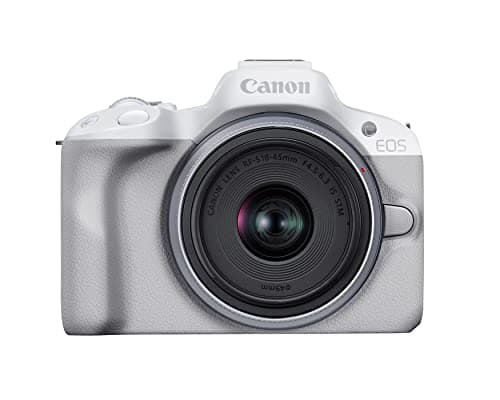
For genuinely good 4K the Canon EOS R50 is the vlogging camera to buy: its 4K30 is read from the full width of the sensor and oversampled from 6K, so it looks cleaner and more detailed straight out of camera than the cropped 4K on most rivals at this price. If you want the most 4K flexibility — up to 120 frames a second and glass-smooth walking footage — the DJI Osmo Pocket 3 is the specialist pick. The rest of this list matches a 4K camera to how you shoot, and to how many asterisks you can live with on the spec sheet.
"Shoots 4K" is printed on nearly every camera sold today, and it hides more than it reveals. Two bodies can both claim 4K30 and hand you very different footage. One reads the full width of its sensor and downsamples a 6K or 6.2K capture into a crisp, detailed 4K file. The other crops into a smaller slice of the sensor, throws away part of your wide field of view, and shows more rolling shutter — that wobble on a fast pan — in the bargain. That gap, clean and uncropped against cropped and soft, is the whole reason this list exists.
So we ranked on the things a single spec line leaves out: whether the 4K is uncropped, how detailed it looks before you touch it in an editor, what frame rates you actually get for slow motion, and — the detail most guides skip — the recording limits and heat behavior that decide whether a camera can hold a long 4K take without stopping. Every pick here shoots 4K worth having; the order reflects how good that 4K is and how few caveats come attached.
One honest omission up front: the Sony ZV-E10, our favorite first vlog camera elsewhere on the site, does not appear on this particular list. Its 4K30 is cropped and shows noticeable rolling shutter, so on pure 4K quality it trails the bodies below — a useful reminder that the best beginner camera and the best 4K camera are not always the same one. If ease of use and audio matter to you more than outright 4K detail, start instead with our best beginner vlogging cameras.
How to judge 4K that is actually worth shooting
Resolution is the least interesting thing about a 4K camera. Every body here records roughly the same number of pixels, and yet the footage they produce ranges from genuinely crisp to visibly soft, because what happens before those pixels are written to the card matters far more than the count itself. A camera that samples a large, detailed image and shrinks it down to 4K keeps fine texture and clean edges; one that reads a smaller area, or line-skips to save processing, hands you a 4K file that looks more like upscaled 1080p. The specs below — crop factor, oversampling, frame rate, bit depth and recording limits — are the ones that separate the two, and they are the ones we weighted.
Uncropped versus cropped 4K
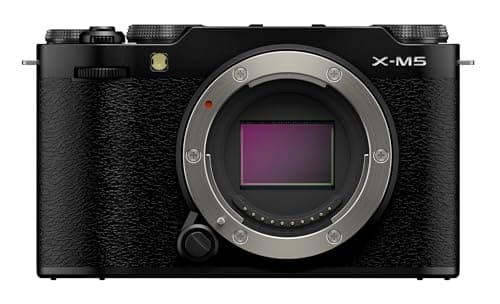
This is the first thing to check and the easiest to miss. When a camera shoots "uncropped" 4K it uses the full width of its sensor, so your lens keeps its true field of view and a wide lens stays wide — exactly what you want for arm's-length vlogging. When it shoots cropped 4K it reads a smaller central slice of the sensor, which zooms your lens in, forces you to stand further back or fit a wider lens, and usually worsens rolling shutter. The Canon R50 and the Fujifilm X-M5 give you uncropped or near-uncropped 4K30; the compacts here have fixed lenses tuned around their own sensors, so the point is moot for them. If you vlog at arm's length with an interchangeable-lens body, uncropped 4K is close to non-negotiable.
Oversampling, and why some 4K looks sharper than other 4K
Oversampling is the quiet reason some 4K simply looks better. Cameras like the R50 capture around 6K of detail and downsample it into the 4K file, which packs in finer texture and cleaner edges than a camera that reads exactly 4K worth of pixels and no more. The Fujifilm X-M5 goes further still, capturing 6K open-gate that you can crop into or reframe in editing while keeping a sharp 4K result. You will not see "oversampled" on the box, but you will see it in the footage: more resolved hair and fabric, less of the mushy, digital look that cheaper 4K can have. It is one of the biggest real-world differences on this list.
Frame rates and slow motion
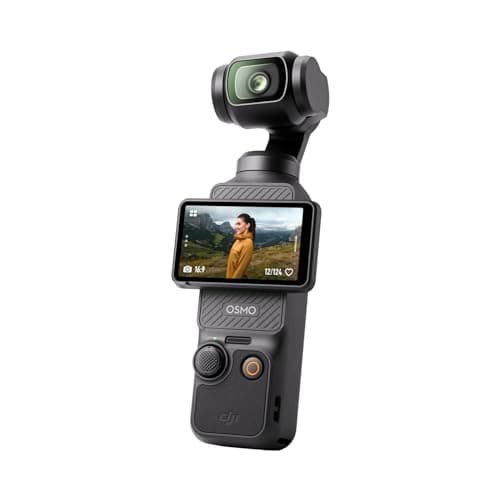
4K30 is the baseline and it is what most vlogging is shot at. Higher frame rates buy you slow motion, and here the DJI Osmo Pocket 3 is the standout, reaching 4K at up to 120 frames a second for smooth, dramatic slow-mo straight off a pocket camera. Most of the others top out around 4K30 or 4K60 and shift to 1080p for their fastest slow motion, which is perfectly usable but not the same as slowing down full 4K. If cinematic slow motion is part of your style, weight frame rate heavily; if you mostly talk to the lens at a normal speed, 4K30 from any of these is all you need.
Recording limits, heat and the long take
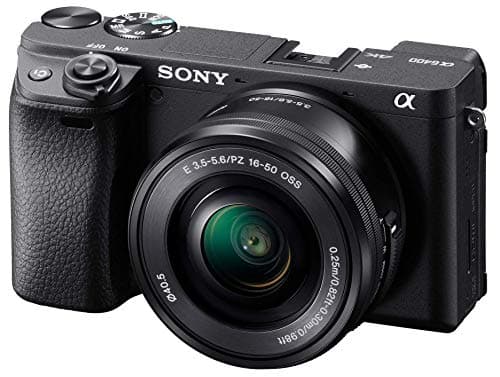
Here is the caveat sheet the marketing skips. Some cameras cap how long a single 4K clip can run, and some slow down or shut off when they get hot during a long session in a warm room. The Sony a6400 is the cautionary tale of the group: its 4K is detailed, but bodies of its generation are known for time limits and heat on extended 4K takes, so it is happiest in shorter segments than in one unbroken hour. The pocketable compacts, being small, also warm up faster than a larger body would. For most vlogging — shot in takes of a few minutes — none of this bites. If you record long, continuous 4K, check the limit for your specific camera and plan to keep it cool and powered.
Bit depth, color and editing headroom
If you plan to color-grade, the file's color matters as much as its sharpness. Most cameras here record standard 8-bit 4K, which is fine for footage you post more or less as shot. The Fujifilm X-M5 stands out by baking its film simulations into the file, so you can get a finished, pleasing look with little or no grading — a real time-saver if editing is your bottleneck. Flatter picture profiles that hold more highlight and shadow detail exist for the interchangeable-lens bodies, but they demand grading in return; if you would rather not, shoot a standard profile and get your exposure right in camera. For the settings that make the most of any of these, see our best camera settings for video.
Sensor size still shapes your 4K
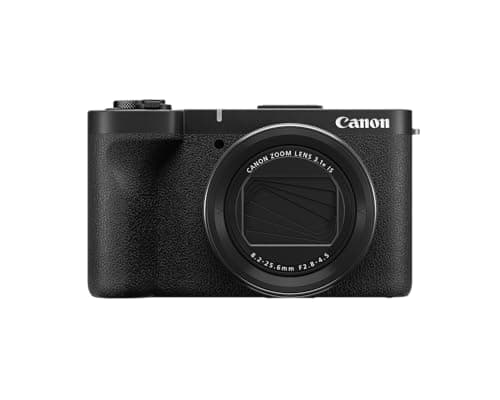
Resolution and sensor size are separate things, and it is the sensor that decides how your 4K holds up when the light drops. A larger sensor gathers more light, so its 4K stays cleaner and less grainy indoors and after dark, and it blurs the background more for a cinematic look. Among these, the APS-C bodies — the R50 and X-M5 — have the largest sensors and the most low-light latitude; the Canon V1's 1.4-inch chip sits a step below but ahead of the 1-inch sensor in the Osmo Pocket 3. All of them shoot clean 4K in good light. The difference shows up in a dim room, where the bigger sensor's 4K simply looks better, so weight this if you film indoors or in the evening.
Which of these five suits you
- Cleanest 4K, most versatile: the Canon EOS R50 — uncropped, oversampled 4K30 and sticky autofocus in a body that shoots stills just as happily.
- Sharpest detail and in-camera color: the Fujifilm X-M5 — 6K open-gate downsampled to a crisp 4K, with film simulations that cut your editing time.
- Best 4K slow motion and stabilization: the DJI Osmo Pocket 3 — 4K up to 120fps and a built-in gimbal, in something that fits a pocket.
- Best 4K in low light, with a zoom: the Canon PowerShot V1 — a larger 1.4-inch sensor and a built-in ND filter for clean 4K across changing light. Its 4K60 is cropped; the full V1 review explains when that matters.
- Most detailed 4K on a budget body: the Sony a6400 — oversampled, detailed 4K and superb autofocus, as long as you respect its recording limits.
Do you actually need 4K?
Worth asking honestly. Most people still watch video at 1080p, and a clean, well-focused 1080p clip looks excellent. The real case for 4K is not the platform — it is the headroom. Shooting 4K lets you crop, reframe and stabilize inside a 1080p timeline without losing sharpness, and it lets you turn one wide shot into a punch-in without a second camera. That flexibility is genuinely useful for a solo creator. But if you never crop or reframe and you publish at 1080p, do not agonize over small 4K differences — put the effort into light and audio instead. For a channel-first view of the same bodies, see our best cameras for YouTube.
Getting the most out of your 4K
A good 4K camera still needs good light and steady hands to earn its detail. Shoot in the best light you can find, keep your shutter speed at roughly double your frame rate for natural motion — the V1's built-in ND filter makes this easy in bright sun — and lock focus on your face before you start talking. If you travel and want that detail without lugging a bag, our best travel vlogging cameras cover the pocketable end, and our methodology explains exactly how these scores are reached from published specs and documented research rather than any lab test we pretend to run.
The 10-bit question
Two of the cameras above record 10-bit colour and three do not, and the spec gets quoted as though it were universally better. It is not — it only pays off if you grade your footage, and in 8-bit it can actively hurt you. The honest version is in do you need 10-bit video. The cheapest 10-bit 4:2:2 body here gets its own write-up in our Fujifilm X-M5 review.