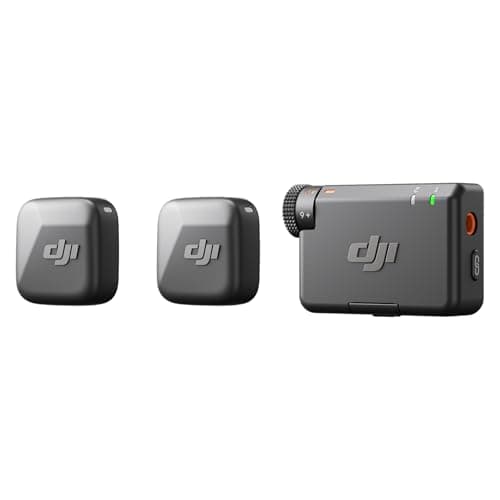
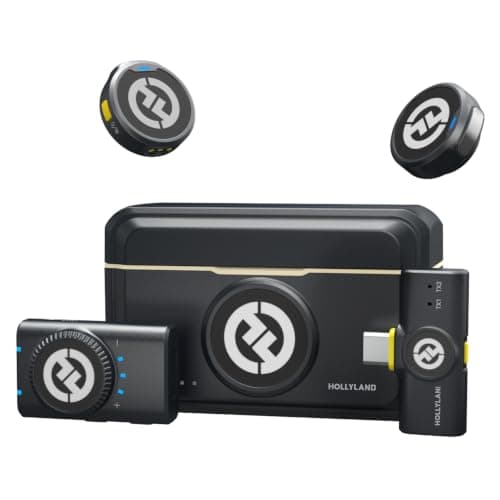
For most creators the Hollyland Lark M2 Camera Kit is the better buy, because the box contains two receivers — one for a camera hot shoe and one that plugs straight into a USB-C phone or laptop — so a single purchase covers every device you are likely to film on. Buy the DJI Mic Mini instead if you only ever record to one camera and want the lowest price: it is cheaper, its transmitters are the lightest of the pair, and DJI publishes longer range and longer battery life.
These two kits are the reason the cheap end of wireless audio stopped being a compromise. Both give you two clip-on transmitters and a receiver for well under the price of a flagship kit, both clip on magnetically so you never thread a lavalier cable, and both are small enough that a guest forgets they are wearing one. Neither has 32-bit float recording, which is the one flagship feature that genuinely changes how forgiving a kit is — if you want that safety net, the third pick on this page is where to look.
The honest framing is that this is not really a sound-quality shootout. At this price both kits are a night-and-day improvement over any camera's built-in microphone, and the difference between them is far smaller than the difference between either one and nothing. What separates them is logistics: how many devices you can feed, how long they last, and how little you notice them.
At a glance
| Spec | Hollyland Lark M2 (Camera Kit) | DJI Mic Mini (2 TX + 1 RX) |
|---|
| In the box | 2 transmitters, camera receiver and USB-C receiver | 2 transmitters, 1 camera receiver (no charging case) |
| Transmitter weight | About 9g | About 10g, excluding the clip magnet |
| Receiver weight | 14.8g camera receiver / 6g USB-C receiver | About 17.8g, including the interface cover |
| Published range | Up to 300m line of sight | Up to 400m, open and unobstructed |
| Published battery life | About 10 hours per transmitter with noise reduction off | About 11.5 hours transmitter / 10.5 hours receiver |
| Audio format | 48kHz / 24-bit | Not published as a figure |
| Max sound pressure level | 115 dB | 120 dB (24 dBA equivalent noise) |
| 32-bit float recording | No | No |
| Noise reduction | Yes, switchable | Yes, two levels |
| Attachment | Magnetic clip | Magnetic clip |
Every figure above is published by the manufacturer or taken from the launch spec table, both linked in Sources. We did not measure anything here and we have not tested either kit — see how we research. Prices are live and stamped with the date they were read.
The deciding question: how many devices do you film on?
This is the whole decision for most people. The Lark M2 Camera Kit includes a camera receiver and a 6g USB-C receiver, so the same two transmitters feed your mirrorless body today and your phone tomorrow with nothing else to buy. The DJI Mic Mini kit at this price is two transmitters and one camera receiver — excellent if the camera is the only thing you shoot on, but a phone receiver is a separate purchase. If you make vertical content on a phone as well as long-form on a camera, the Hollyland kit is cheaper overall even though its sticker price is higher.
Where the DJI kit genuinely wins
Three places, all of them real. Its transmitters are about 10g excluding the magnet, which is as unobtrusive as clip-on audio gets. DJI publishes up to 400m of range against Hollyland's 300m, and both figures are open-air, interference-free best cases — the gap matters less than the absolute number, but DJI starts further ahead. And its published battery life is the longest of the two, about 11.5 hours on a transmitter. If you shoot long days away from power, mic one person at a time, and only ever record to a camera, the Mic Mini is the better tool and the cheaper one.
Where the Hollyland kit wins beyond the second receiver
Hollyland publishes a 48kHz / 24-bit audio format for the Lark M2; DJI does not publish an equivalent figure for the Mic Mini at all. That does not automatically mean the Hollyland sounds better — a published format is not a measurement of sound quality — but it is a documented specification rather than an unknown, and we would rather rank on documented specs. The transmitters are also the smaller of the two at about 9g, and the camera receiver is lighter than DJI's at 14.8g.
What neither of them does
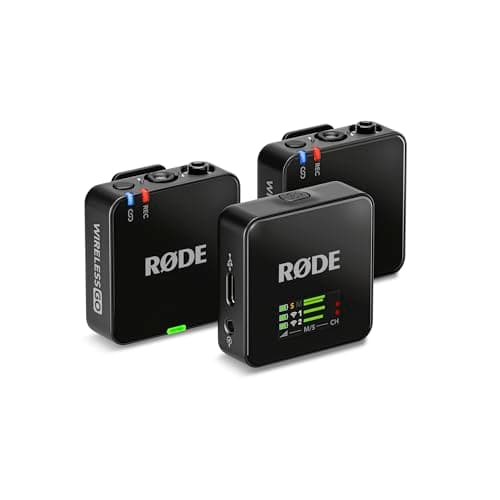
Neither kit records 32-bit float, and neither has onboard backup recording in the transmitters. Those two features are what make a flagship kit forgiving: 32-bit float means a shout that would have clipped can be pulled back down in the edit, and onboard recording means a radio dropout does not cost you the take. Without them you set a sensible level before you roll and you live with it. That is a perfectly normal way to work — it is how everyone worked for decades — but it is a real difference, and it is why the Rode Wireless GO III is ranked third here rather than left off. If your recordings are one-take interviews you cannot repeat, the step up is worth it.
Neither has a headphone output on the receiver either, so you monitor through the camera if your camera has a jack. On the beginner bodies this site covers, a headphone socket is one of the first things cut — our wireless microphone ranking notes which kits give you a monitor port back.
What about the DJI Mic 3 and the Mic 2?
Both are a tier up and a separate question. The Mic 3 adds 32-bit float, internal recording and a charging case, and we have compared it directly against Rode's flagship in DJI Mic 3 vs Rode Wireless GO III. If you are specifically weighing DJI's own generations against each other, read DJI Mic 2 vs DJI Mic 3 instead — this page is about the two cheapest kits worth owning.
The accessory that matters more than either choice
Whichever you buy, the biggest single improvement to your audio after going wireless is getting the transmitter in the right place: high on the chest, roughly a hand's width below the chin, with the capsule clear of a collar or a zip that can rub against it. A $59 kit placed well beats a $400 kit clipped to a waistband. If you are still deciding whether a clip-on is even the right shape of microphone for your setup, our lavalier vs shotgun comparison works through that first.