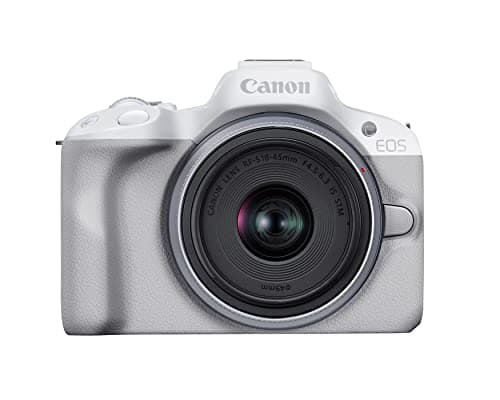
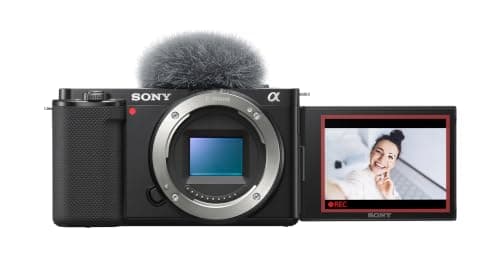
For most people building a streaming setup, the Sony ZV-E10 is the best camera to start with: it works as a plug-in USB webcam, its eye autofocus holds your face while you lean and gesture, and it is the rare body at this price with both a mic input and a headphone jack. Want the cleanest image and a viewfinder for double duty as a content camera? The Canon R50. The rest of this list matches a camera to your stream — a single desk cam, a multi-camera setup, or a body you also take out to film.
Streaming asks slightly different things of a camera than recording does. You do not need hours of internal 4K files; you need a clean signal the moment you go live, autofocus that keeps your face sharp for a long session, and a body that can run for the length of a stream without stopping. That is why the ranking leans on how each camera outputs its feed — over USB or over HDMI into a capture card — and on how well it handles long, continuous runtime, rather than on headline resolution that a stream downscales anyway.
Every pick here is a genuinely good streaming camera; the differences are in how you connect it and how long you run it. The ZV-E10 and R50 are the easiest to get going because they act as USB webcams with a single cable. The a6400, X-S20 and Z30 stream beautifully too and are especially strong if you already own one or want a camera that pulls double duty for filming away from the desk. We flag the runtime and connection catch on each below, because those are the details that decide a streaming camera in practice.
A last framing point: a streaming camera does not have to be a camera you only use for streaming. Every pick here is a capable hybrid that shoots video and stills away from the desk, so the money you put toward a good streaming body doubles as a content camera you can take out filming. If a stream is your main use today but you expect to record and edit video later, lean toward the bodies that pull double duty — which is most of this list — rather than a single-purpose webcam that can only ever point back at your chair.
What actually matters for live streaming
Three things decide a streaming camera, and resolution is not one of them. First, how it gets its picture into your computer — the connection. Second, how long it can run without stopping — the runtime. Third, whether its autofocus keeps your face sharp for a whole session without hunting. Get those right and an inexpensive camera looks better on stream than a far pricier one that overheats or drifts out of focus. We ranked with that order of priority, then broke ties on image quality and how useful the camera is away from the desk.
USB webcam mode versus clean HDMI and a capture card
There are two ways to turn a camera into a streaming source, and the difference is the single most important thing to understand before you buy. The simple route is USB webcam mode: cameras like the Sony ZV-E10, Canon R50, Fujifilm X-S20 and Nikon Z30 can plug straight into your computer over a single USB cable and appear as a webcam in OBS, Zoom or your streaming app, with no extra hardware. It is the fastest, cheapest, tidiest setup, and for most people it is all you need. The more capable route is clean HDMI into a capture card: you run the camera's HDMI output — "clean" meaning without the focus boxes and settings overlaid — into a small USB capture device, which then appears as a webcam. A capture card usually gives you a higher-quality, lower-latency image and full manual control, and it is the standard for a serious multi-camera setup, but it is an extra box, an extra cable and an extra cost. Start with USB webcam mode; move to a capture card only when you actually hit its limits.
Runtime: the overheating and recording-limit question
A stream can run for hours, and this is where streaming punishes a camera that a short recorder would never trouble. Two things can cut a session short. The first is heat: compact bodies working hard for a long time in a warm room can slow down or stop to cool off, and the smaller the body, the sooner it can happen. The second is power: running on the internal battery, a camera will simply die mid-stream, so you want to power it continuously over USB or with a dummy battery from the wall. The fix for both is the same — keep the camera powered from mains, give it airflow, and for very long sessions favor the larger bodies here, which shed heat better. The Fujifilm X-S20's big battery and larger frame make it one of the more comfortable for marathon runtime; the smallest pocketable bodies are happier in shorter bursts.
Autofocus that holds your face
On a recording you can retake a soft clip; on a live stream, a camera that hunts for focus every time you lean back or reach for something is on show to everyone watching. This is why subject-tracking autofocus matters even more for streaming than for filming. Sony's real-time eye AF on the ZV-E10 and a6400 and Canon's Dual Pixel AF II on the R50 are the standouts here — they lock onto your face and stay there through movement without visible searching. The Nikon Z30 and Fujifilm X-S20 track well too, a small step behind for stubborn stickiness. If you move around at your desk, weight this heavily; a face that drifts in and out of focus is the fastest way to make a stream look amateur.
Framing for a desk
A streaming camera usually sits close, pointed back at you across a desk, which changes what matters about the body. A fully articulating or tilting screen you can angle up toward your face helps you frame yourself before you go live — the ZV-E10, R50, Z30 and X-S20 all flip to face you, while the a6400's screen only tilts and can be blocked by a top-mounted mic. Watch your lens choice too: a very wide lens up close distorts your face and pulls in a messy background, so a slightly longer focal length — roughly a 24-35mm-equivalent for a flattering desk head-and-shoulders — usually looks better than the widest option. For glass that suits both streaming and filming, see our best lenses for vlogging.
Frame rate, resolution and what the stream actually sends
Do not fixate on 4K for streaming. Most live platforms cap or heavily compress the outgoing video, and a great many streams are delivered at 1080p regardless of what the camera captures, so a clean, well-focused 1080p feed from any body here looks excellent live. What matters more than resolution is a steady frame rate and a stable connection: a picture that holds a smooth 30 or 60 frames a second without stutter reads as more professional than a sharper image that hitches. Set the camera to output a frame rate your platform and computer can handle comfortably, and put your attention on focus and light rather than chasing the highest number on the spec sheet.
Lighting and background beat a better sensor
The fastest way to look better on stream has almost nothing to do with which camera you buy. A single soft key light in front of you does more for image quality than any sensor upgrade, because a camera can only work with the light it is given, and a dim room forces even a good sensor to strain and show grain. A tidy, slightly defocused background — helped by a longer lens and a little distance behind you — reads as far more professional than a cluttered wall shot wide open. Sort your lighting and your background first, and a mid-range camera on this list will beat a flagship sitting in a dark room. It is the cheapest, highest-impact change you can make to a stream.
Which of these five suits your stream
- Best all-round, with live audio monitoring: the Sony ZV-E10 — plug-in USB webcam mode, sticky eye autofocus, and both a mic input and a headphone jack.
- Cleanest image and a viewfinder: the Canon R50 — the tidiest picture here, in a body that doubles happily as a content camera.
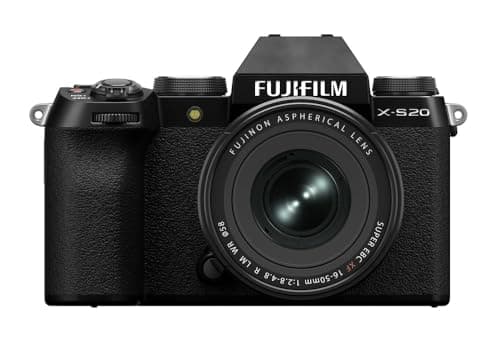
- Longest, most reliable runtime: the Fujifilm X-S20 — a larger body and big battery that shed heat and last through marathon sessions.
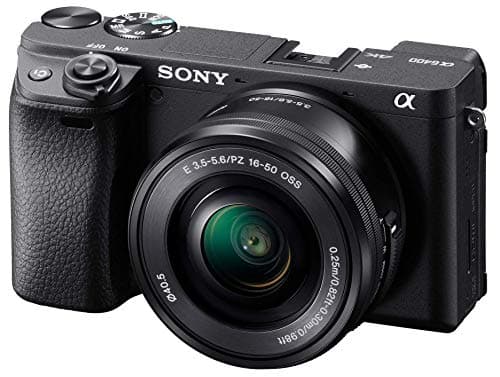
- Already own it, or want double duty: the Sony a6400 — a superb hybrid that streams cleanly, though its tilt-only screen is less ideal for framing yourself up close.
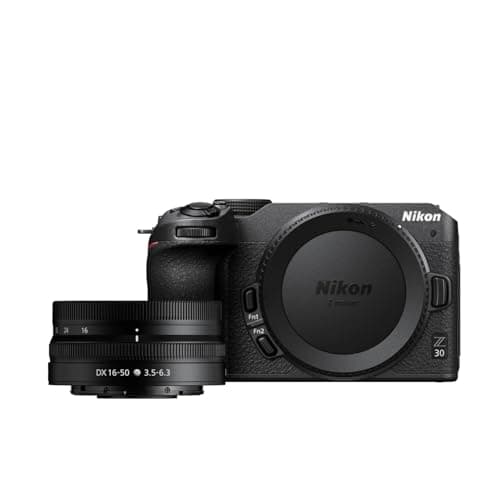
- Comfortable and good value: the Nikon Z30 — the best grip here for a camera that also comes off the desk, with a clean USB webcam mode.
Connections and cables to check before you buy
A streaming setup lives and dies on small connection details, so confirm them before you commit. Check that the camera supports the webcam mode you plan to use, and on which port — some bodies need a specific USB mode enabled in a menu. If you are going the capture-card route, confirm the camera outputs a clean HDMI signal without overlays, and note the HDMI port size, since many compacts use a fragile micro-HDMI socket that benefits from a locking clamp or a right-angle cable on a permanent desk rig. Finally, plan to power the camera from the wall rather than the battery for anything long. None of this is expensive, but discovering it after the fact is the most common way a promising streaming camera turns into a frustrating one.
Audio, and the upgrade that matters most
Viewers forgive a middling picture far more readily than bad sound, and that is doubly true on a live stream where there is no editing to clean it up. Every camera here has a microphone input; the ZV-E10 goes further with a headphone jack so you can monitor your audio live, which is genuinely useful when you cannot re-record. Whatever body you choose, put some budget toward a proper microphone — it does more for how professional your stream sounds than any sensor upgrade. Start with our best microphones for vlogging, and if you also record videos, cross-reference our best cameras for YouTube, since the same bodies serve both jobs.
Start simple, grow into more
You do not need the full studio on day one. Begin with one of the USB-webcam bodies here, a single cable and the light you already have, and get comfortable going live before you spend more. When you outgrow that — a second camera angle, a dedicated capture card, a proper key light — add pieces one at a time. Almost everything that makes a stream look and sound professional is a small, targeted upgrade layered onto a solid camera, not a bigger camera. Buy the body that fits how you connect and how long you run, then improve the room around it.